Skip to content
All work
WebIntegrationsBots2026 · ~3 min read

Planning ground handling for flights

A dispatcher sees a whole day of flights on one timeline and assigns them to vehicles and shifts, while the system catches the overlaps. Flights arrive from an external API — nobody types them in.

# The problem

The client handles aircraft on the ground at an airport: loading and unloading, bringing up equipment, running the crews. Around a hundred and fifty flights pass through in a day. A shift like that is normally planned in a spreadsheet or on paper. The dispatcher keeps in their head which vehicle is busy where, who is on duty today, and when an aircraft will actually be ready for servicing. A mistake is expensive: putting one truck on two overlapping flights delays one of them. And the corrections run all day, because the schedule is alive. That set the requirements. Flights must not be entered by hand. Time overlaps must be caught by the system rather than by a person. And the crew needs an interface of its own, so a job reaches whoever does it and the status comes back.
# The solution

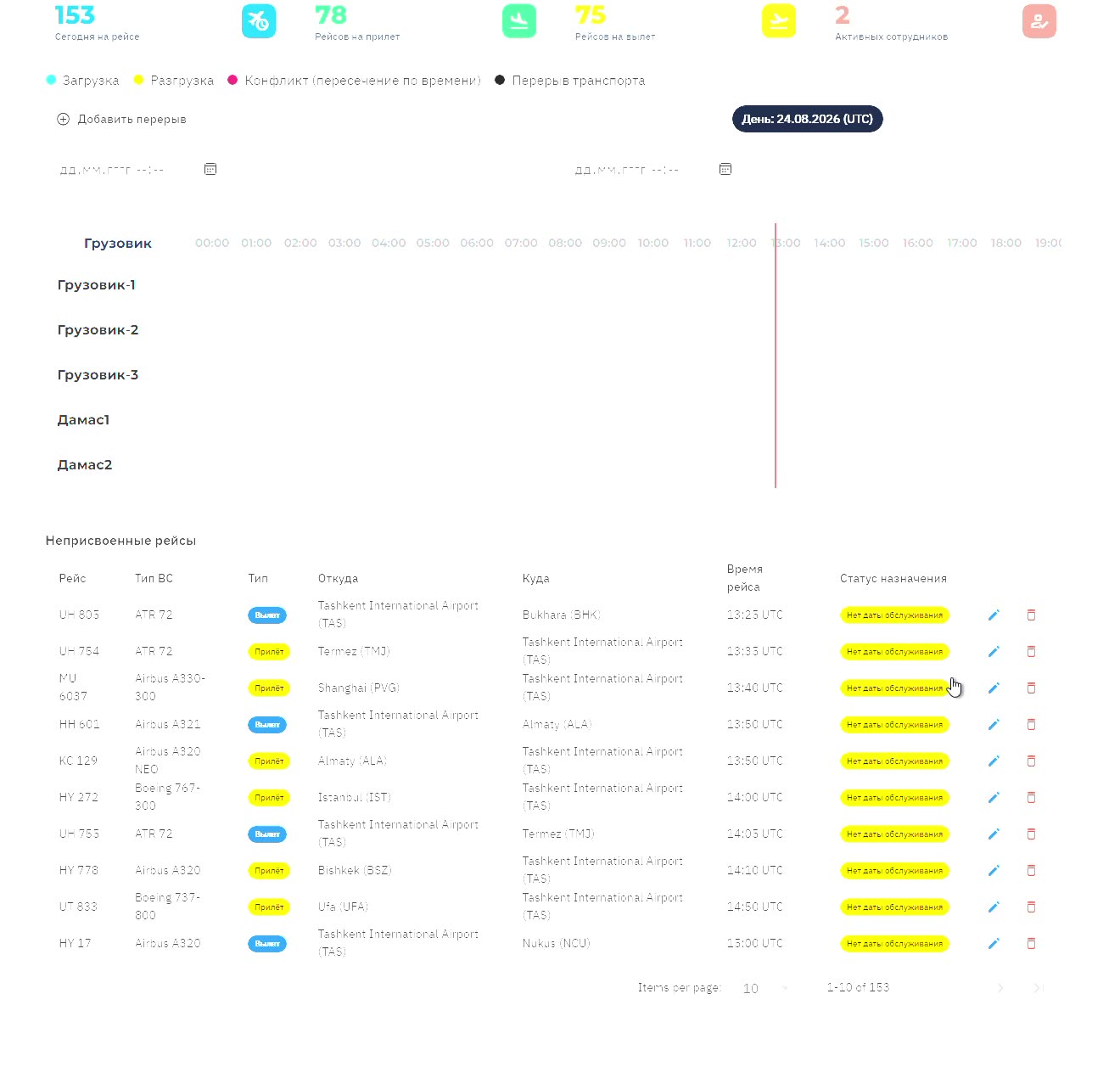
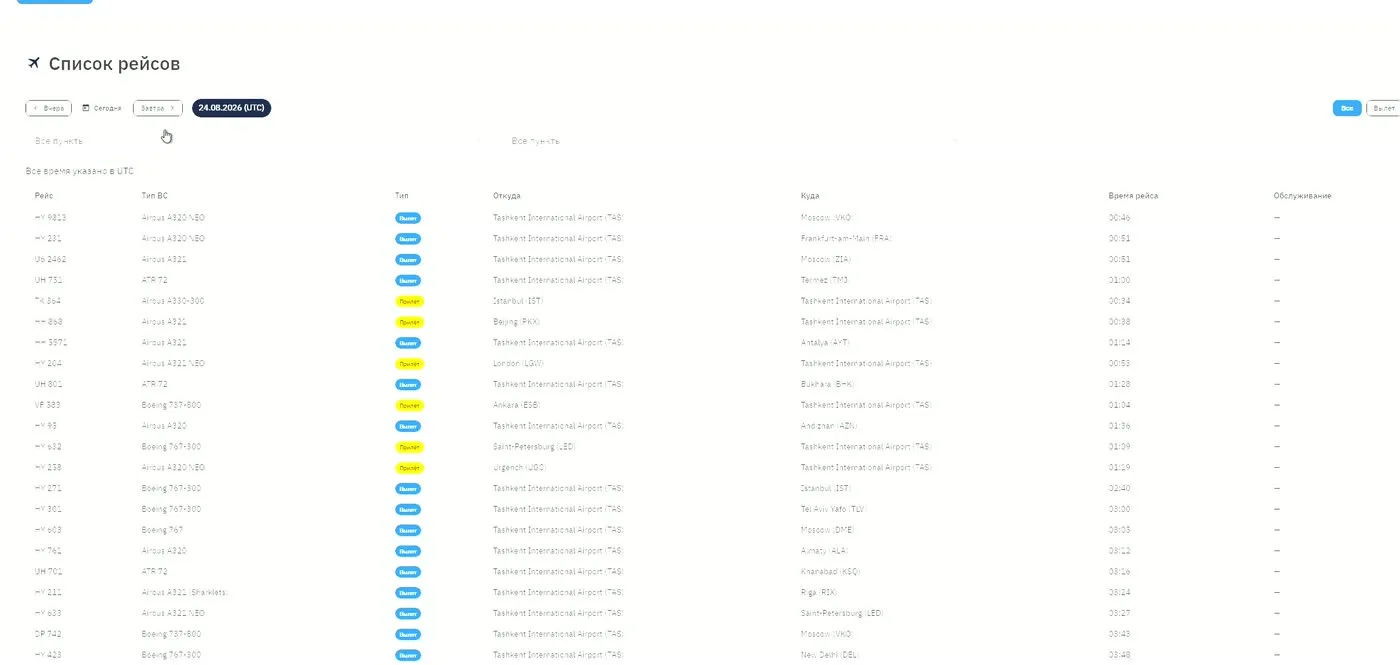
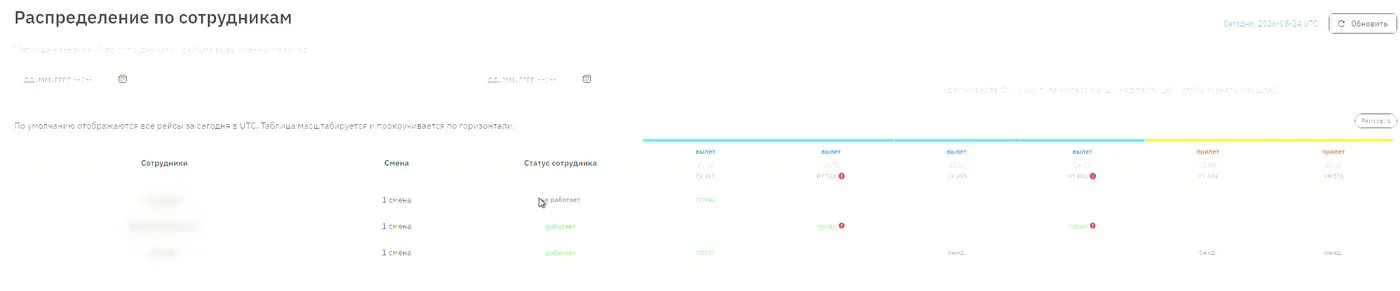
Flights arrive on their own. A scheduled job pulls departures and arrivals from the AeroDataBox service and stores them along with the aircraft and the origin and destination points. The dispatcher works from a ready list. Planning is a timeline: vehicles down the side, the day across the top. When a flight is assigned to a vehicle the system checks interval overlaps — against other flights and against that vehicle's own scheduled maintenance. A conflict is highlighted there and then rather than surfacing on the apron. People work the same way: a worker has a shift, a roster and a current status, and only somebody actually on duty can be assigned. A separate screen shows the whole shift — who is on which flight and what is already done. The interface is served by GraphQL on Strawberry: filters, sorting, pagination, and access rights split by role — worker, dispatcher, administrator. A change of flight status is published through Redis, so the dispatcher's picture updates itself without a reload. The crew works through Telegram: the job reaches the worker, who marks the start and the finish, and sends a problem report tied to the flight if something is in the way. Administrator actions are written to a separate log. The backend sits on my own FastAPI framework with a module architecture: file uploads and device-bound sessions plug in as modules rather than being rewritten for every project. The dispatcher interface, on the other hand, was built for this job — a timeline that checks interval overlaps is not something an off-the-shelf module covers.

# The outcome

The system runs in production. I have no metrics: there was no access to the client's statistics. What can be checked is in the recordings — a hundred and fifty flights of one day on a single screen, assignment to vehicles with overlap checking, and the shift broken down by worker. The recordings are anonymised: the client's name never appears, the one real name in that database is masked, and the page listing staff and their Telegram IDs is not shown at all. Flight numbers and airports are left as they are — public data from an external API, not the client's.

# How it works

  1. AeroDataBoxThe external schedule source. Supplies departures and arrivals, the aircraft, and the origin and destination points.
  2. Sync · APSchedulerA scheduled job that pulls the flights and updates whatever changed. Entering a flight by hand is not possible anywhere in the system.
  3. API · GraphQLOne place for every rule: interval overlaps, whether an assignment is allowed, status transitions. Access rights are split by role — worker, dispatcher, administrator.
  4. PostgreSQLFlights, vehicles with their maintenance windows, workers with their shifts, problem reports and the administrator action log.
  5. RedisChange subscriptions. A flight status change is published to the specific worker and to everyone watching that flight, which is why the dispatcher's view updates without a reload.
  6. Dispatcher panelA timeline for the day: vehicles down the side, hours across the top. This is where a flight is put onto equipment and onto a crew.
  7. Telegram botDelivers the job to whoever does it and takes back the start and finish marks, along with problem reports.
  8. WorkerSees the flights on their shift, marks servicing as started and finished, and can report a problem without leaving the messenger.

Dashed: not my work — platforms and the client’s own systems

Next project

A trainer's and their clients' workspace inside Telegram

Need something similar?

Discuss the task